


crypto
Apple Pay vs. Google Pay for Crypto Purchases

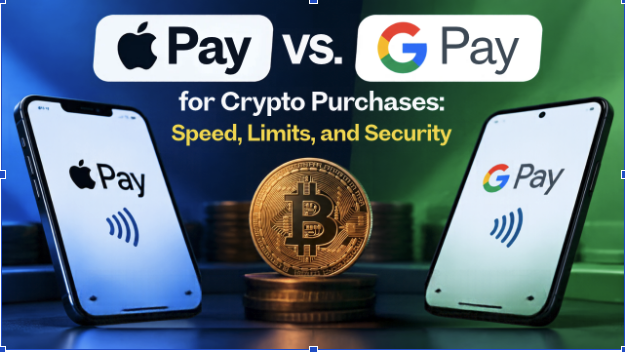
Speed, Limits and Security
Buying crypto with a phone wallet takes only a few taps, but the experience is not identical on every device. Apple Pay and Google Pay sit between your bank card and the merchant and add a layer of protection that a typed card number lacks. They still differ in where they work, how they confirm your identity, and how they behave when a bank is wary of crypto…
How Wallet Payments Work on Crypto Platforms
On a card-funded on-ramp such as switchere.com, you choose a coin and an amount, paste your wallet address, and select Apple Pay or Google Pay at checkout. The wallet passes an encrypted payment token to the processor, your bank approves the charge, and the platform releases the coins to the address you provided.
Crucially, the wallet is only a payment channel. The crypto platform and your card issuer set exchange rates, service fees, and purchase limits.
Speed: Where the Real Differences Lie
At checkout, both wallets are almost instant. A double press of the side button and a glance for Face ID completes an Apple Pay payment, while Google Pay asks you to unlock your phone with a fingerprint, face scan, or PIN. Authorisation then clears within seconds in either case.
Device and Browser Coverage
Apple Pay works on iPhone, iPad, Mac, and Apple Watch, and on the web it was long limited to Safari. Since iOS 18, you can also use it in other desktop browsers by scanning a QR code with your iPhone, though this adds an extra step.
Google Pay is more flexible. It runs on Android phones and inside Chrome and other major browsers on most desktop computers. If you switch between a Windows laptop and an Android phone, it will feel noticeably smoother.
Blockchain Confirmation Times
Whichever wallet you use, the blockchain confirmation is the slowest stage. Bitcoin transfers commonly take 10 to 30 minutes to confirm, depending on network load. Tron, Solana, and Polygon usually settle in under a minute. No phone can speed this up, so choosing the right network matters more than choosing the right wallet.
Purchase Limits and Bank Restrictions
Apple Pay and Google Pay do not impose their own spending caps on online purchases, and the £100 contactless limit in the UK applies to tapping a physical card.
What Your Card Issuer Decides

The ceiling comes from three places: your card issuer, the crypto platform, and your verification level. Several UK banks, including NatWest and Santander, have introduced caps on payments to crypto exchanges, and some have blocked certain providers entirely. Adding the same card to a phone wallet does not bypass these rules, because the bank still sees and approves every transaction.
Platform Verification Tiers
Crypto platforms also set their own minimum and maximum amounts per order. These usually rise as you complete identity checks, so a fully verified account can buy much more than a new one, whether you pay with Apple Pay or Google Pay.
Security: Two Strong Systems with Different Designs
Security is where both wallets clearly beat typing card details into a form. Neither shares your real card number with the merchant. Each payment uses a token instead, so a platform data breach would not expose the card in your pocket.
Apple Pay
Apple assigns a device-specific account number that is stored in the Secure Element, a dedicated chip isolated from the rest of the operating system. Every payment requires Face ID, Touch ID, or your passcode, and each one carries a unique dynamic security code. Apple also says it does not retain transaction information that can be tied back to you.
Google Pay
Google Pay likewise replaces your card number with a virtual account number, though its tokens are typically managed through secure cloud systems, not a single hardware chip. Payments require your screen lock, and many recent Android phones add hardware-backed protection. Security is high overall but can vary by handset age and how regularly it receives updates.
Fewer Extra Checks at Checkout
Both wallets also help with strong customer authentication rules in the UK and the European Union. Because biometric or passcode approval on the phone usually counts as two-factor verification, wallet payments often skip the separate 3D Secure prompt that a standard card checkout may trigger.
Which One Should You Choose?
For most people, the phone in their hand settles the question. iPhone owners get a tightly controlled, hardware-backed wallet that works seamlessly across Apple devices. Android users, and anyone who shops from a Windows computer, will find Google Pay more convenient. Fees and limits will usually be identical either way.
Whichever you choose, remember that crypto transfers cannot be reversed once they reach the blockchain. Check the wallet address and network carefully, and review the final amount before approving. A careful minute at checkout matters far more than the logo on the payment button.






You must be logged in to post a comment.